
1
Grab
Click the whip in the menu bar. It appears at your cursor and follows every move.
 DigitalWhipComing soon to the Mac App Store
DigitalWhip puts a physics-simulated whip in your menu bar. Flick it hard enough and it cracks, interrupts the coding agent in your terminal and tells it to go FASTER.
 9:41
9:41
This is the app's real physics engine, running in your browser. Grab the whip, flick your mouse fast, and watch the agent in the terminal get interrupted.
9:41Click the whip in the menu bar. It appears at your cursor and follows every move.

Swing your mouse. The lash rolls out with real momentum, stiff at the handle, loose at the tip.
When the tip breaks its speed limit: CRACK. Sound, starburst, message, and your agent gets the memo.
Images rendered by the DigitalWhip app's own drawing code.
No Dock icon, no windows in the way. Left-click the whip icon to grab it, right-click for the menu.
A 28-link Verlet rope with a tapering lash, stiff handle, bend limits and a frayed popper. It bounces off the edges of your screen.
Flick fast enough and the tip goes supersonic. Every crack gets a starburst and a floating message right where it happened.
A sonic-boom N-wave, a bright snap and a short room tail, generated in code. Five variations so it never gets stale.
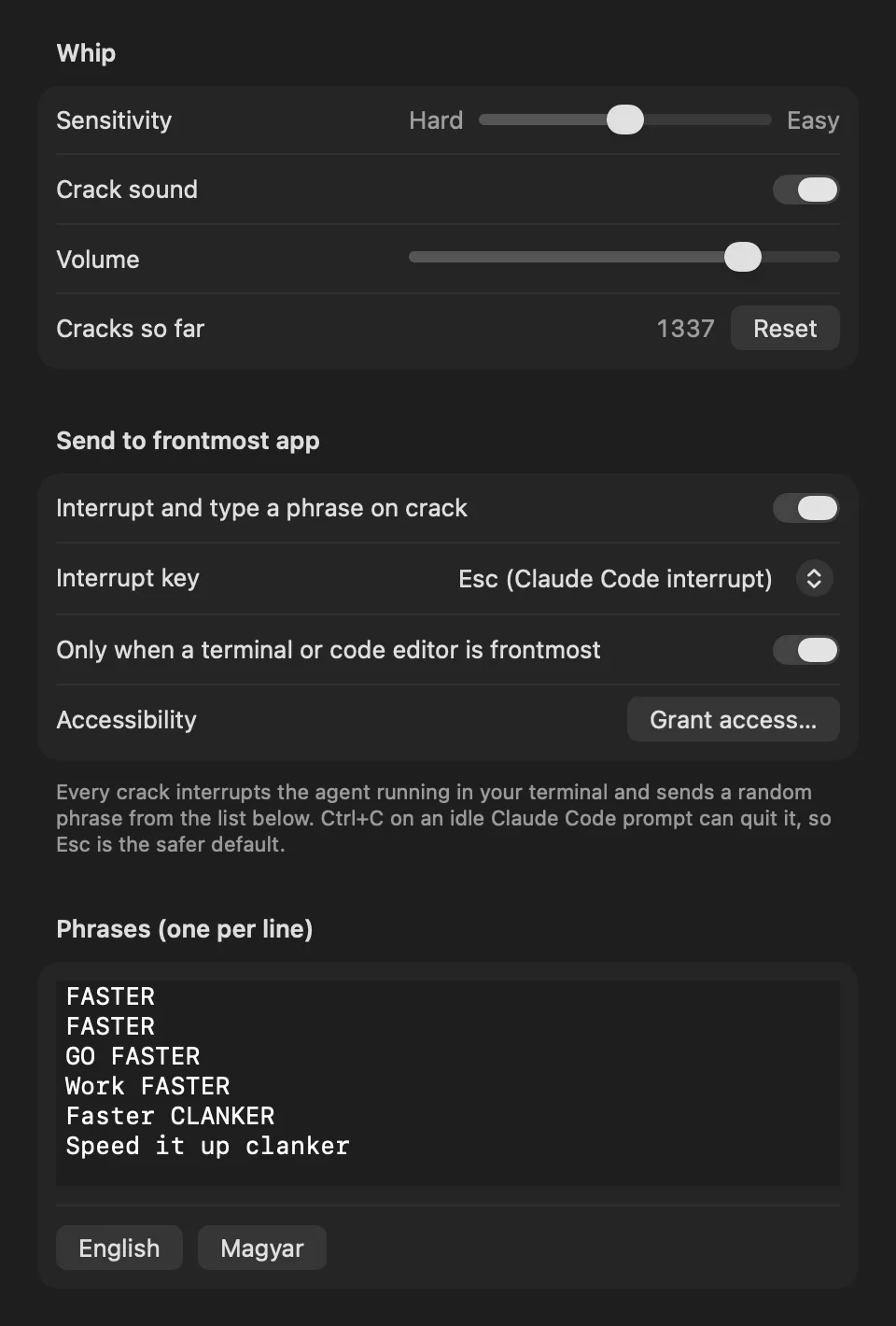
Each crack sends Esc (or Ctrl+C) to your terminal, types a phrase like “FASTER” and hits Return. Perfect for Claude Code and other CLI agents.
Only types into terminals and code editors, never into your email or chat. Turn sending off any time and it is just a whip.
Write your own motivational lines, one per line. English and Hungarian presets included.
Sensitivity slider from “needs a violent flick” to “cracks easily”, plus sound on/off and volume.
Follows your cursor across multiple displays, all Spaces and full-screen apps. Clicks pass right through, so you can keep working.
Click anywhere and the whip falls off the screen with gravity. Click the menu bar icon to pick it up again.
See how many times you have cracked it, and whether the last crack was sent or why it was skipped.
One click in the menu and your whip is ready every time you log in.
No accounts, no analytics, no network access. Runs in the macOS App Sandbox; settings never leave your Mac.
Written in Swift with AppKit and Core Animation. Smooth at 120 Hz on ProMotion displays, barely touches the CPU.
When your agent has been “pondering” for three minutes, DigitalWhip interrupts it and sends a fresh instruction, exactly as if you had typed it. Works with Claude Code and any CLI agent that stops on Esc or Ctrl+C.
By default keys are only sent when one of these apps is in front, so a crack never lands in your email:
Turn the filter off in Settings to allow any app, or switch sending off entirely.
Right-click the menu bar icon: crack counter, last-crack diagnostics, launch at login, settings.
No accounts, no analytics, no ads, no network connections. DigitalWhip runs in the macOS App Sandbox and never reads your keystrokes or screen. Read the privacy policy →
Anything that runs in a terminal and stops on Esc or Ctrl+C: Claude Code, Codex CLI, Gemini CLI, Aider and friends. DigitalWhip simply sends keystrokes to the frontmost terminal.
macOS only lets apps send keystrokes to other apps after you allow it in System Settings › Privacy & Security › Accessibility. DigitalWhip uses it only to send the interrupt key, your phrase and Return when you crack the whip. It never reads what you type or what is on screen.
By default it only sends keys when a terminal or code editor is the frontmost app. You can widen that in Settings, or turn sending off completely.
Esc is the default because it interrupts Claude Code safely. Ctrl+C works too, but pressing it twice on an idle prompt may quit the session.
Yes. You still get the whip, the physics, the sound and the messages. It just will not interrupt anything.
A small one-time purchase on the Mac App Store. No subscription, no in-app purchases, no ads.
macOS 14 Sonoma or later, on Apple silicon or Intel Macs.
One small, one-time purchase. No subscription. No in-app purchases.
Coming soon to the Mac App Store